
Horses of Hoofprint Bay: Official Website, Steam & Support
Find the official Horses of Hoofprint Bay website, Steam store, demo information, developer updates, and community links.
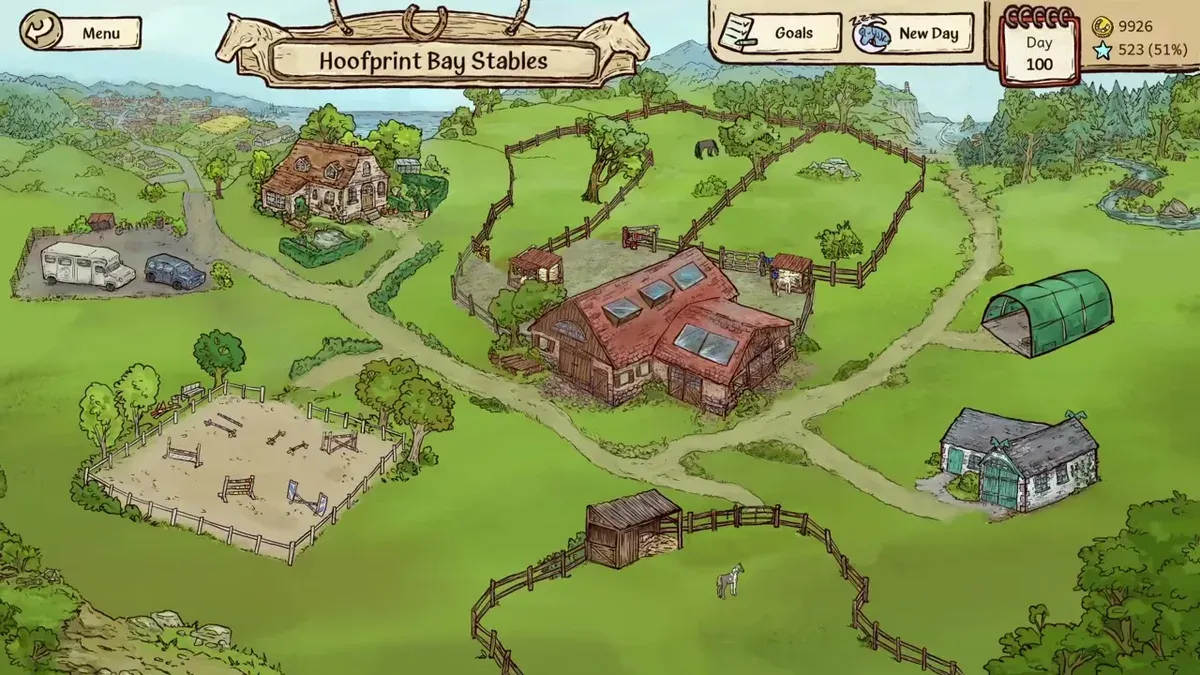
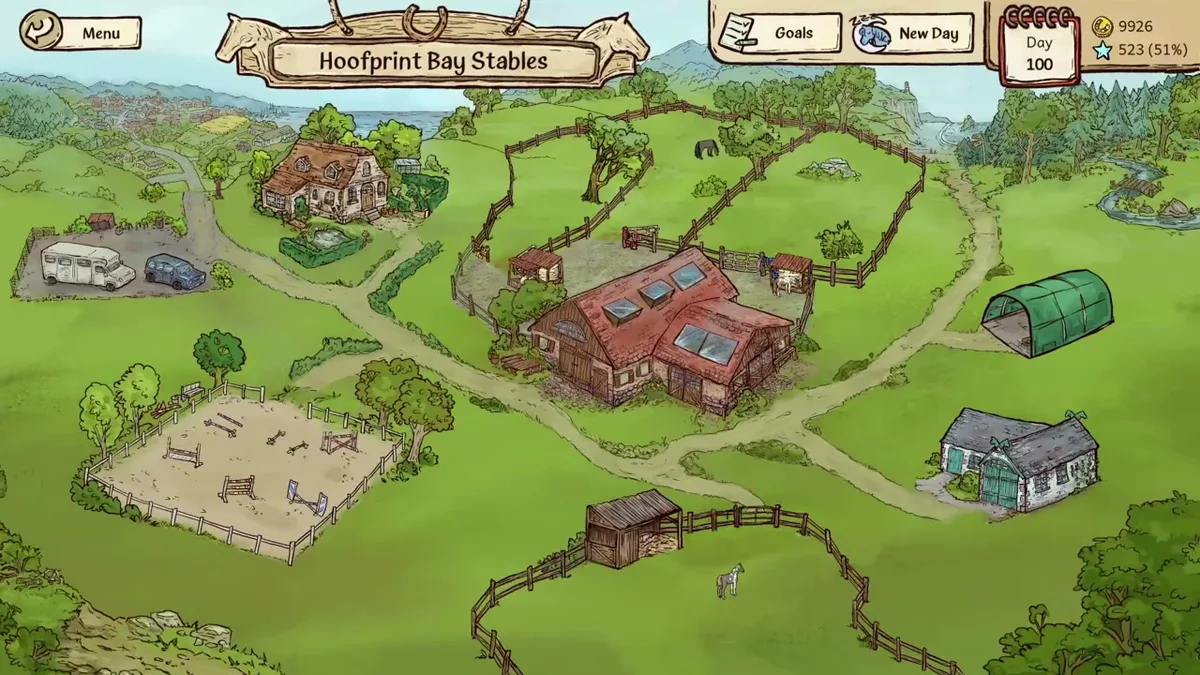
Unaltered gameplay still from JayPlays’ full-release video. General visual context, not proof of an undocumented mechanic. Image source.
Watch full-release gameplay: A New Generation of Champions! | Horses of Hoofprint Bay [FULL RELEASE] — JayPlays, published November 4, 2026.
English-language general gameplay reference. It is not a dedicated tutorial, historical beta recording, device benchmark, or proof of the specific behavior discussed below.
Find the Official Horses of Hoofprint Bay Links
Your Horses of Hoofprint Bay website search starts with three useful destinations: the developer’s homepage, the publisher’s game page, and Steam. Choosing the right page gets you to the game, demo information, or official answers without following outdated playtest instructions. This Horses of Hoofprint Bay website guide explains where each destination leads, using official information supplied through November 5, 2026.
This wiki is independent of the developer and publishers. Horses of Hoofprint Bay launched on November 4, 2026. The official full-game listing and free Demo listing are separate Steam pages.
Use this website directory to choose your starting point:
| Destination | Where to go | Main purpose |
|---|---|---|
| Developer website | Thogli Studios | Visit the studio behind the game |
| Publisher’s game page | The Mane Quest’s official game page | Find the collection of official website and community links |
| Full-game Steam listing | Horses of Hoofprint Bay store page | Review the game, platform information, and purchase options |
| Free Demo | Horses of Hoofprint Bay Demo | Check the separate trial listing |
| Official FAQ | Developer answers on Steam | Check demo saves, difficulty settings, and development plans |
The publisher’s page is particularly useful when you want several official destinations in one place. Its supplied link collection includes the studio website, Steam, newsletter signup, Instagram, Bluesky, and Discord.
Steam serves a different purpose: it is the confirmed storefront for the released game. Start there when your next step is purchasing or checking compatibility. For questions about the team or ways to follow its announcements, begin with the publisher’s directory.
Use Steam for the Full Game and Platform Details
For purchases, the most useful website destination is the official Steam listing for app 3727090. The November 5 store record identifies Thogli Studios as the developer and lists The Mane Quest and FinPlay (CN/JP) as publishers.
The game is available as a full release. The developers’ release announcement confirms that it launched on November 4, 2026, while their FAQ explains that it was intended to arrive as a finished product.
Check the platform listing before purchasing
The supplied store information supports the following distinctions:
| Platform | Evidence as of November 5, 2026 | What to check |
|---|---|---|
| Windows | Supported; minimum OS listed as Windows 10 version 21H1, build 19043, or newer | Compare your system with Steam’s requirements |
| Linux | Supported; listed systems include SteamOS, Ubuntu 22.04, and Ubuntu 24.04 | Read the Linux requirements on the store page |
| Mac | Not listed as supported | No Mac release is confirmed in the supplied FAQ |
| Mobile and consoles | The FAQ discusses possible future expansion without a commitment | No release date is established |
The supplied requirements excerpt contains operating-system and processor information. It does not provide a complete basis for predicting performance on a particular computer.
The November 5 USD price snapshot lists a $26.99 base price and a $22.94 discounted price, reflecting a 15% reduction. Treat those figures as dated information: the references do not establish when that discount ends. Check the price displayed for your region before purchasing.
Confirm which product you want
The main game listing describes horse care, training, competitions, breeding, trail rides, building upgrades, and staff management. Those descriptions help you decide whether its stable-management focus matches what you want to play.
The Supporter Pack includes an art book exceeding 50 pages. Although the announcement described a soundtrack-inclusive bundle, the November 5 live store lists only the base game and Supporter Pack in its two-item bundle; the soundtrack is separately marked N/A. Check the product name before selecting an item so you get the full game or the extra material you intended.
Find the Demo and Understand Save Compatibility
If your website search is about trying the game first, begin at the confirmed Steam store page and look for its demo option. The separately verified Steam Demo listing gives you a direct starting point.
The developers’ October demo announcement said that both demo versions would remain available after the full release. That establishes the announced plan; the cited material does not independently confirm the current download button or installation flow.
The distinction between demo versions matters because their saves have different compatibility rules:
| Version | What the official material establishes | Transfer into the full game |
|---|---|---|
| February demo | Earlier demo build, retained on a separate branch according to the October announcement | Not compatible |
| October demo | Updated demo limited to 25 in-game days | Compatible |
| Full game | Released November 4, 2026; no ordinary day limit according to the FAQ | Destination for compatible October demo saves |
The October version was designed to better represent the opening portion of the full game. Its announcement describes rebalanced starting horses and additions such as walking horses, Caprilli tests, desensitization training, and additional markings.
Those changes explain why older demo impressions may describe different progression. They also make the version name more useful than the date you happened to install or revisit the game.
For a practical starting sequence:
- Open the official full-game Steam listing.
- Follow the demo option if Steam displays it.
- Check which demo version you are using before planning around save transfer.
- Consult the official FAQ when comparing an older save with the released game.
The references confirm compatibility, but they do not supply a manual save-transfer procedure or file path. Avoid treating compatibility as proof of a particular transfer method.
Read Official News Without Mixing Development Stages
The official Steam news archive contains announcements from several stages of development. Publication dates help explain why two genuine developer posts can give different answers.
For example, the March update said demo saves would not transfer. The later October announcement clarified that saves from the updated October demo would transfer, while February saves would remain incompatible. The official FAQ repeats that distinction.
| Announcement date | Topic in the cited material | How to interpret it now |
|---|---|---|
| March 20, 2026 | Early release window and demo plans | Historical context preceding the updated demo |
| May 22, 2026 | Beta registration and tester feedback channels | Instructions for that testing phase |
| October 9, 2026 | Updated demo and version-specific save compatibility | Relevant explanation of February versus October saves |
| November 4, 2026 | Full release, supporter extras, and creator policy | Launch information for the released game |
Older posts remain useful for understanding how features developed. However, a proposed capacity, unfinished visual, or testing instruction should retain its original date and context.
The May building update, for instance, explicitly described its horse-capacity numbers as subject to change. Those figures should not become an undated launch specification simply because they appeared in an official announcement.
Is there an official roadmap?
The official FAQ says the team released the game without a content roadmap. Major additions such as more breeds or disciplines are not planned, and future DLC is undecided. The developers do intend to monitor bug reports and smaller requests.
For a website bookmark focused on updates, save the Steam news archive alongside the FAQ. Check the FAQ for direct answers, then use dated announcements to understand any relevant changes.
Website: Community and Creator Links
The publisher’s verified link collection is the starting point for official community channels. It provides routes to newsletter signup, Instagram, Bluesky, and Discord without requiring you to identify accounts from unrelated search results.
| Channel | Route supported by the references | Useful purpose |
|---|---|---|
| Newsletter | Newsletter Signup link on the publisher’s game page | Receive announcements from the team |
| Publisher-listed Thogli Studios account | Follow official social posts | |
| Bluesky | Publisher-listed Thogli Studios profile | Follow official social updates |
| Discord | Discord Invite link on the publisher’s game page | Reach the linked community |
If an invite stops working, return to the publisher’s page for the link listed there. The cited material establishes that the invitation was included; it does not guarantee that an invite will remain valid indefinitely.
Community discussions can help identify questions other players are asking. Keep community reports or player experience separate from developer confirmations, particularly when a post discusses an older demo or beta. A player’s reported result does not establish identical behavior across every build.
Where should you look for help?
Start with the official FAQ for documented questions about saves, difficulty, and game contents. The older beta announcement described a restricted Discord area and feedback shortcuts, but those were testing instructions. The cited launch material does not establish those same shortcuts as the current support procedure.
Creators have a more specific answer. The November 4 launch announcement permits monetized gameplay videos and streams, including the music heard in the game.
That permission excludes standalone soundtrack uploads and using the music outside Horses of Hoofprint Bay videos or streams. For a copyright claim involving game footage, use the contact information in the official launch policy. Read that launch policy when planning coverage; older beta posts requested that testers refrain from sharing unfinished footage.
FAQ
What is the official website?
The developer’s website is thoglistudios.com, and The Mane Quest maintains an official game page with links to the developer, Steam, and community channels. Use the publisher’s directory to reach those destinations. This wiki is independent and is not operated by the developer or publishers.
Where can I download the game or demo?
The confirmed full-game destination is Steam app 3727090. For the trial, use the separate Steam Demo listing. The developers announced continued demo access after release; check the listing for its current install option.
Will my demo progress carry over?
The official FAQ confirms that October demo saves are compatible with the full game. February demo saves are not. Earlier development statements need that version context, and the cited sources do not describe a manual transfer procedure. Identify your demo version before relying on an older compatibility statement.
Where can I find official difficulty and accessibility information?
Use the Steam listing and developer FAQ. Steam lists adjustable difficulty, saving at any time, and several accessibility features. The FAQ specifically suggests easier competitions, increased prestige gain, and an auto-jump setting for players struggling with jumping. These are useful details to check when deciding whether to try the demo or purchase the full game.
What should you read next?
- Official Discord & Joining Help
- Release Date, Price & Launch Guide
- Reddit Communities & Player Help
- Patreon Mods & Official Support
Return to Community & Help or the wiki homepage to choose another topic.
Related Articles
community
Horses of Hoofprint Bay: Official Discord & Joining Help
Find the official Horses of Hoofprint Bay Discord invite, confirm the server, and understand older access reports before asking for help.
community
Horses of Hoofprint Bay: Gamescom 2026 & Saddle Controller
Explore the Horses of Hoofprint Bay gamescom booth, custom saddle controller, and how the 2026 exhibition differs from the released Steam game.
community
Horses of Hoofprint Bay: Official Instagram & Studio Updates
Find the official Horses of Hoofprint Bay Instagram account through its publisher, plus verified release details, demo context, and creator rules.
Was this helpful?
Thanks for the feedback!