
Horses of Hoofprint Bay: Equipment, Tack & Care Tools
Explore Horses of Hoofprint Bay equipment, tack colors, care tools, Prestige shop variety, and dated community tips for tack changes and hoof boots.
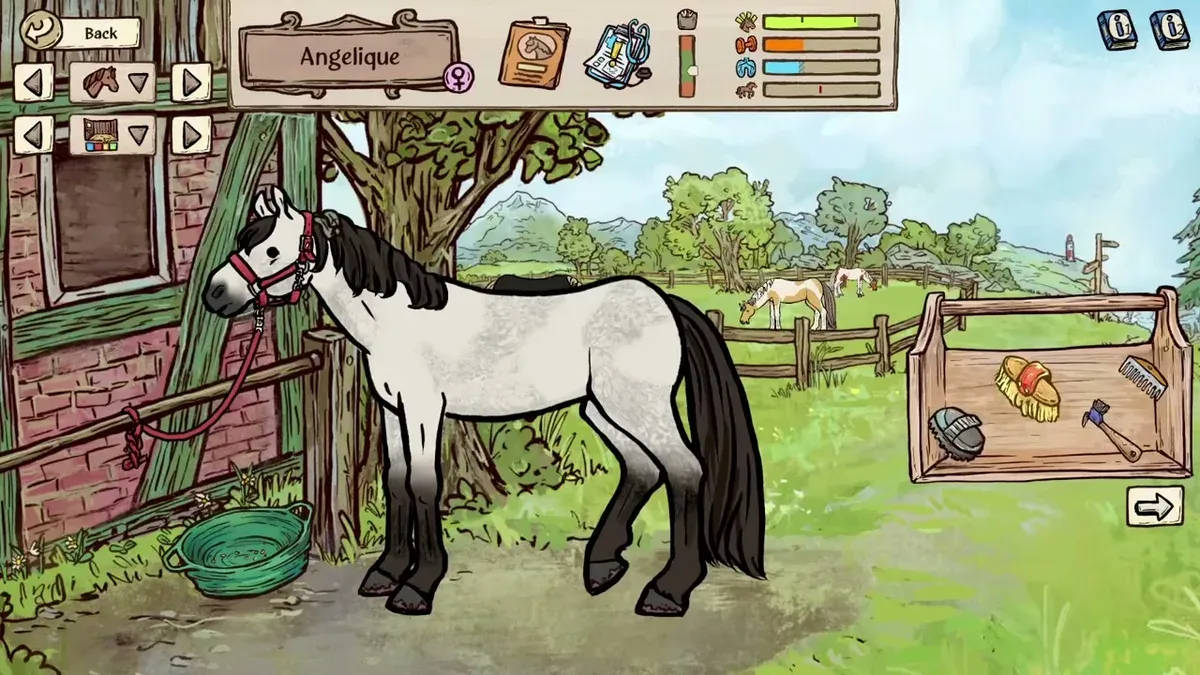
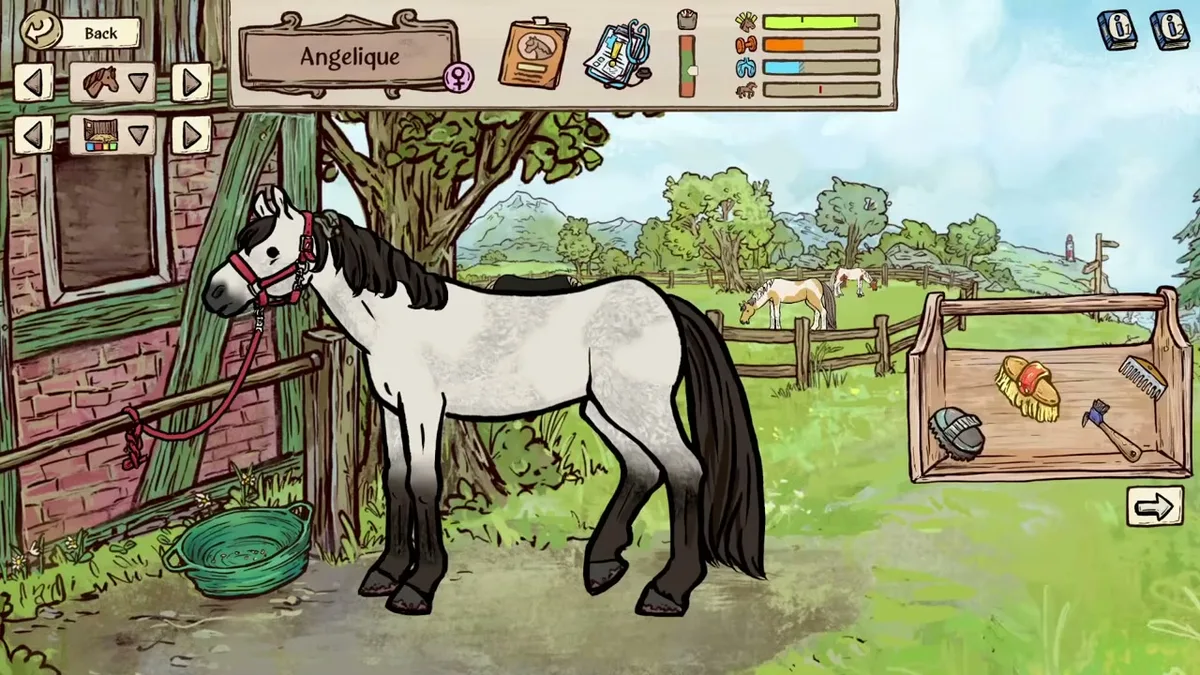
Unaltered gameplay still from JayPlays’ full-release video. General visual context, not proof of an undocumented mechanic. Image source.
Watch full-release gameplay: A New Generation of Champions! | Horses of Hoofprint Bay [FULL RELEASE] — JayPlays, published November 4, 2026.
English-language general gameplay reference. It is not a dedicated tutorial, historical beta recording, device benchmark, or proof of the specific behavior discussed below.
What equipment is confirmed at release?
Horses of Hoofprint Bay equipment includes customizable tack and practical care tools, but the available evidence does not establish a complete launch catalog, item prices, or numerical equipment bonuses. Those gaps matter when you’re deciding what to buy, looking for more shop choices, or struggling to change tack. This Horses of Hoofprint Bay equipment guide explains the confirmed features and separates them from older player experience.
The full Steam release launched November 4, 2026. The official Steam store description confirms grooming tools and appearance customization, providing a useful starting point for understanding equipment.
| Equipment or feature | What official material confirms | What remains unverified |
|---|---|---|
| Brush | Used in horse care, which helps prevent problems including saddle sores and abscesses | Numerical effectiveness or upgrade tiers |
| Hoof pick | A named tool used in the horse-care system | A complete selection of purchasable variants |
| Tack customization | Built-in color tools let you change tack appearance | A complete launch inventory and prices |
| Character customization | Built-in tools support character appearance changes | An exact competition clothing checklist |
| Custom palettes | Appearance customization can extend to game files | Current file paths and editing procedures |
The care tools have a stated practical purpose. The store connects grooming with avoiding health problems and says injuries require appropriate treatment. However, it does not provide a treatment chart or identify a particular boot as a remedy.
Start by learning the care interactions the game provides. A different tack color answers an appearance preference; the brush and hoof pick address documented care needs.
For equipment, distinguish care, appearance, shop access, and controls. Evidence about one category does not establish the rules for another.
Equipment customization and performance
The clearest confirmed tack feature is color customization. Official material describes built-in color selection for tack and character appearance, alongside a curated selection of customization items and color combinations.
That gives appearance-focused players something concrete to explore. It does not establish that changing a color improves jumping, strength, confidence, endurance, or competition results.
| Your goal | Relevant confirmed feature | How to interpret it |
|---|---|---|
| Change tack appearance | Built-in color selection | A documented visual customization option |
| Change character appearance | Character customization tools | Appearance editing is supported |
| Explore custom palettes | Editable appearance-related files | A separate workflow needing current instructions |
| Improve horse strength and confidence | Training exercises | The store explicitly connects training with these attributes |
No numerical tack buffs are verified in the cited material. That is an evidence limit, not proof that every equipment item is purely cosmetic. Without an item description or a current official explanation, there is no supported basis for ranking tack by performance.
If your goal is better competition results, training has a documented connection to horse development. The official description explains that exercises build strength and confidence toward qualifying for competitions. It does not make an equivalent claim about purchasing more expensive equipment.
For visual changes, explore the built-in options first. The store also describes modifying textures and text files to alter appearances, but those broad statements are not a usable modding tutorial. They do not specify filenames, supported formats, or installation steps.
A useful purchasing question is therefore: What does this item explicitly do in the version I’m playing? Appearance alone cannot establish a statistical advantage, and an attractive shop item should not automatically be treated as a training upgrade.
How Prestige relates to shop variety
Prestige is relevant when researching equipment availability, although the detailed explanation comes from before launch.
In the August 12, 2026 developer update, the developers described Prestige as affecting the variety of tack available in the shop. They said the discussed systems had been implemented and were undergoing testing and balancing.
This is official development evidence for the relationship between Prestige and selection. It does not establish final launch thresholds, individual unlock requirements, or an item-by-item shopping progression.
| Activity or condition | Prestige effect described in August | Equipment-related implication |
|---|---|---|
| Upgrading buildings | Can increase Prestige | Yard development was connected to broader progression |
| Winning competitions | Can increase Prestige | Competition success was a documented progression route |
| Caring for boarders | Can increase Prestige | Management activities also contributed |
| Having high-quality horses | Can increase Prestige | Horse quality mattered beyond appearance |
| Entering competitions with dirty horses or inappropriate clothing | Can reduce Prestige | Preparation could affect progression |
| Failed competitions or serious horse illness | Can reduce Prestige | Prestige was described as capable of decreasing |
All effects in this table describe the August development build. The supplied release material does not confirm their final numerical values.
If the shop feels limited, Prestige is a supported factor to investigate. The evidence does not justify promising that a specific action will immediately reveal a particular item. Likewise, “more variety” does not mean every newly available item has stronger effects.
The clothing detail deserves attention: the update associated inappropriate competition attire with Prestige loss. It did not provide an approved outfit list, so exact clothing requirements remain unverified here.
For planning, consider equipment spending alongside documented yard development. Building upgrades expand horse capacity and can unlock training courses and staff applications. Those functions provide concrete reasons to save money, even when the benefits of an individual tack purchase are unclear.
Changing tack and the Steam Deck report
A player unable to select tack needs control guidance before shopping advice. For equipment controls, the available evidence includes one specific Steam Deck report from October 19–20, before the November release.
In that Changing Tack community discussion, a player said tack did not respond to clicking even though other interactions worked. Another participant suggested dragging the tack and trying Proton Experimental. The original poster subsequently reported success and thanked them for the Proton suggestion.
This is community-reported player experience, not a verified launch troubleshooting procedure. The exchange does not establish a universal fix or isolate the effect of every suggested change.
A careful way to use that report is:
- Check the current interface prompts. The cited material does not document the release build’s exact equipment screen.
- Try the reported drag interaction if applicable. The community reply specifically distinguished dragging from clicking.
- Treat Proton Experimental as a historical compatibility lead. One player reported success; that does not establish that it is required today.
- Keep the platform and version attached to the advice. A pre-release Steam Deck interaction issue does not demonstrate the same problem on every system.
The store lists Linux support and includes SteamOS in its requirements. That platform listing alone does not establish a particular controller layout or explain every tack interaction.
If dragging resolves the issue in your current game, the relevant problem was interaction rather than item availability. If it does not, the older thread cannot tell you whether the cause is compatibility, a changed interface, or another issue.
The hoof boot task and older demo advice
The hoof boot search concerns a task item mentioned in community discussion. It should not be expanded into an unsupported explanation of protective equipment or injury treatment.
For equipment searches involving this task, the available location clue comes from a thread opened April 30. On May 8, a participant recalling the demo directed the player toward the upper route on the small trail. On May 11, another participant said the directions had worked for them.
That hoof boot task discussion supports a historical demo location clue. It does not verify the item’s location in the November full release.
If you are playing the relevant older demo, the upper route is the community-supported place to investigate. For the full release, treat it as a lead rather than a guaranteed walkthrough. The thread does not specify a landmark, reward, activation condition, or interaction sequence.
| Version or evidence period | What the cited material establishes | How to use older advice |
|---|---|---|
| February demo | Its saves do not transfer to the full game | Keep its progression separate |
| Spring demo task discussion | Players reported finding the hoof boot using the upper route | Apply the clue only with its historical label |
| October demo | Limited to 25 in-game days; saves transfer to the full game | Save compatibility does not validate every old tip |
| November full release | Released November 4; no fixed day limit | Current task and equipment details still need current evidence |
Version differences are meaningful here. The October demo announcement described lower starting horse stats, additional trail environments, and other changes intended to bring the demo closer to the full game.
That history explains why a successful older search cannot automatically establish a launch location. It also explains why early progression advice may describe a different experience.
Finally, the name “hoof boot” does not establish an equippable medical function. The available thread discusses finding something for a task, with no verified healing effect, protection bonus, purchase price, or reusable equipment behavior.
FAQ
What is the best equipment?
There is no supported best-equipment ranking in the available evidence. Official material confirms care tools and customizable tack, but it does not provide a complete catalog or numerical item bonuses. Choose around a documented purpose: care interactions for horse maintenance, appearance options for customization, and training for the strength and confidence development described by the store.
Does higher Prestige unlock more tack?
The August 12 developer update says Prestige affects the variety of tack sold in the shop. That is official pre-release information, with testing and balancing still underway at the time. Exact launch thresholds, item requirements, and prices are not verified, so the relationship should not be turned into a precise unlock chart.
Why can’t I change tack on Steam Deck?
An October community report describes a similar problem. Replies suggested dragging tack and trying Proton Experimental, after which the original poster reported success. This player experience predates launch and does not establish the cause of a current problem. Use it as a troubleshooting lead while following the controls shown in your version.
Does the hoof boot heal injuries?
That function is unconfirmed. The supplied hoof boot discussion concerns finding an item for a demo task, not treating a horse. Official material confirms grooming and injury care more broadly, but it does not identify the task’s hoof boot as a treatment. Follow the game’s current care guidance rather than inferring an effect from the item’s name.
What should you read next?
- Stable Upgrades & Breeding Lab
- Boarders: Contracts, Care & Feeding
- Where to Buy Feed & Hay
- Stable Chores & Staff Assignments
Return to Stable Management or the wiki homepage to choose another topic.
Related Articles
guides
Horses of Hoofprint Bay: Money Making Guide
Explore riding lessons, competition prize money and home-bred horse sales in Horses of Hoofprint Bay. Plan income alongside horse care and stable expansion.
stables
Horses of Hoofprint Bay: Boarders: Contracts, Care & Feeding
Learn how to accept boarders, manage feeding and daily care, and complete schooling contracts in Horses of Hoofprint Bay's full release.
stables
Horses of Hoofprint Bay: Where to Buy Feed & Hay
Find the community-reported feed shop in Horses of Hoofprint Bay, learn where to select hay, and understand what remains unconfirmed at launch.
Was this helpful?
Thanks for the feedback!