
Horses of Hoofprint Bay: Apple Tree: Demo Location Guide
Find the Horses of Hoofprint Bay apple tree using the February Demo route, learn when to stop, and understand the reported picking issue.
Where Is the Apple Tree?
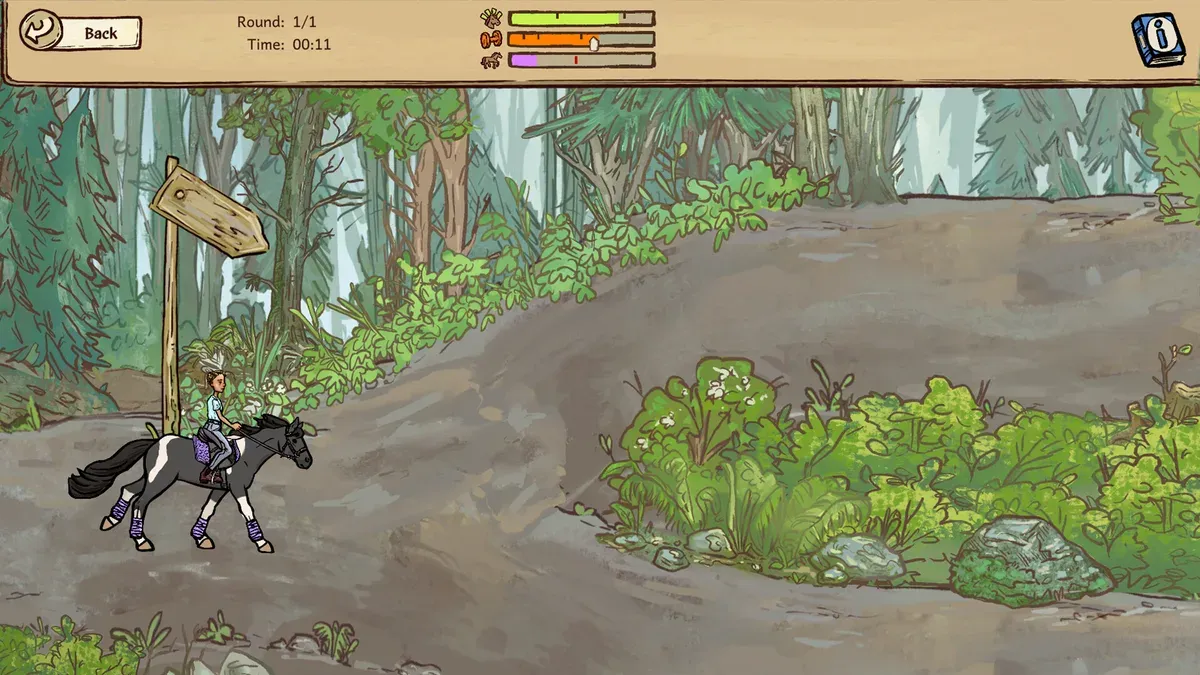
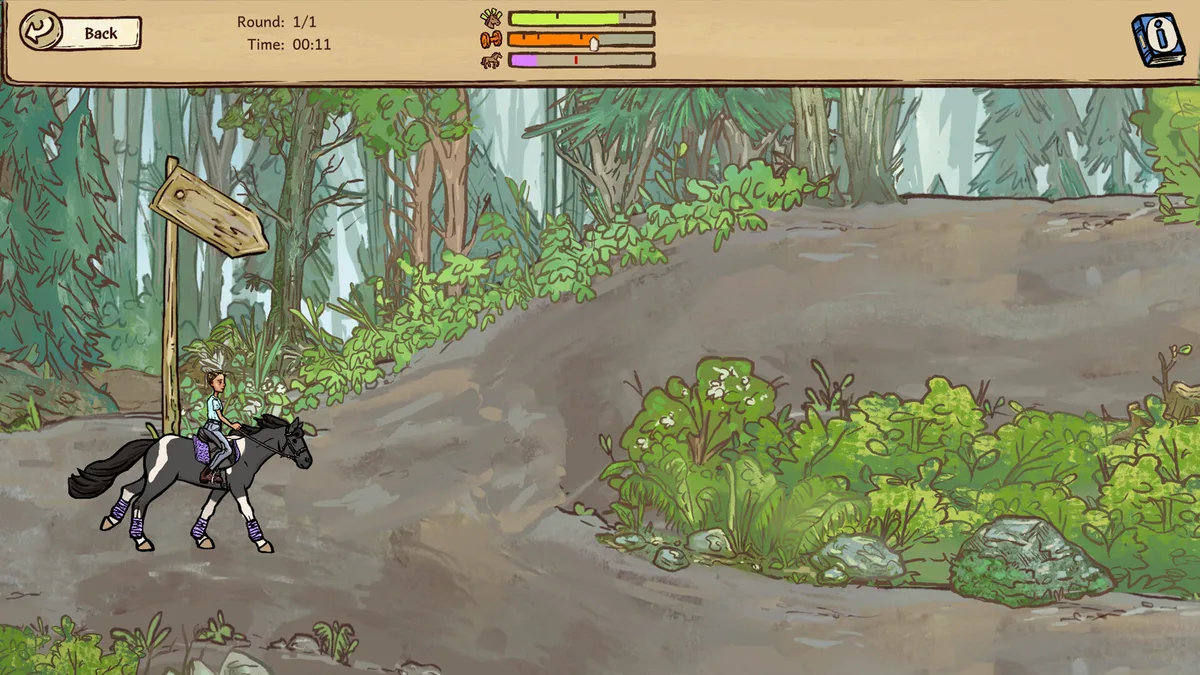
The Horses of Hoofprint Bay apple tree route described in February Demo community reports follows the small forest trail, takes the downward branch over the bridge, and requires stopping beside the tree to pick apples. Those two clues—the bridge and a complete stop—help narrow your search and explain why reaching the tree may not be enough. This Horses of Hoofprint Bay apple tree guide covers that February Demo experience; the route remains unverified for the October Demo and the full release as of November 5, 2026.
The distinction matters because the full game launched on November 4, after changes that included additional trail environments. An older route can help someone playing the February Demo, but it cannot establish where an apple task leads in a later version.
The route comes from community reports, rather than an official apple-task walkthrough. In the March 2026 apple-tree task discussion, a player described the forest route, another reinforced the need to stop, and a third described an interaction problem that later disappeared.
For February Demo players, that gives you a useful sequence to follow. For October Demo or full-release players, treat it as a historical lead whose landmarks still need to match your game.
Game reference image. Image source.
Full-release gameplay and in-game handbook: Horses of Hoofprint Bay FULL RELEASE! Starting Our Horse Stable! 🐎 — Rohara, November 4, 2026. English-language reference footage. Specific handbook claims link to their observed timestamps; other uses are general game reference, not a device benchmark or proof of a bug fix.
Follow the February Demo Forest Route
The reported apple tree location is associated with the small forest trail. The identifying direction is the downward branch that crosses a bridge. The community description does not give a numbered intersection, compass bearing, or distance from the start.
Use the landmarks in the order players described them:
| Step | What to do in the February Demo | Detail from community reports |
|---|---|---|
| 1 | Take the small forest trail | This is the trail identified by the player who provided directions. |
| 2 | Choose the downward branch | The route is described as heading downward and crossing a bridge. |
| 3 | Continue looking for the apple tree | The tree is the destination after following that route. |
| 4 | Stop beside the tree before interacting | Players reported that picking requires the horse to stop. |
The bridge is the most concrete navigation clue in the report. If you are choosing between branches, use the downward route over the bridge as your reference. There is no supported basis for replacing that description with “always turn left” or “take the second fork.”
Keep the directions separate from assumptions about the scenery. The report does not specify the tree’s size, the number of visible apples, or how far beyond the bridge it stands. Expecting an invented visual marker could make the actual destination easier to miss.
If you cannot find a matching trail or bridge, check which version you are playing before repeating the search. The October Demo introduced new trail environments, so a mismatch does not establish that you overlooked the tree or that your game is broken.
Once you reach the tree, the next step is to stop. The community advice treats reaching the destination and successfully interacting with it as separate parts of the task.
Stop Your Horse Before Picking Apples
For the February Demo apple tree task, community reports emphasize a complete stop. One player gave this instruction with the route directions, and another repeated it when someone reported being unable to collect the apples.
That makes stopping the first thing to check when you can see the tree but cannot pick from it. Arriving beside the apples while still moving does not match the interaction conditions described by those players.
The reports also distinguish between seeing an interaction cue and successfully collecting an apple:
| What you observe | What the February Demo reports establish | Practical next step |
|---|---|---|
| You have reached the apple tree | Players say the horse must stop before picking. | Bring the horse to a complete stop. |
| Apples and an input button are flashing | One player saw these cues while the interaction failed. | Check that the horse is fully stopped before trying the displayed input. |
| The horse is stopped, but picking still fails | The reporting player encountered this situation too. | Consider the later-ride workaround described below. |
Use the interaction input shown by your game. The discussion does not identify a particular keyboard key or controller button, so there is no confirmed universal binding to list here.
It also does not establish an apple quantity, reward amount, or additional task turn-in sequence. Follow your task’s displayed requirements for those details. The supported advice here concerns finding the tree and attempting the picking interaction.
The useful distinction is that stopping was repeatedly recommended, but it did not solve every reported failure. A visible prompt and a stationary horse were both present in the temporary problem described by one player.
What to Do When the Apple Prompt Flashes
One February Demo player reported that the apples and input button flashed, yet the game would not accept the picking input. When another player suggested stopping, they clarified that the horse had already come to a complete halt.
The same player later said the problem resolved during a trail ride on another in-game day. They did not report encountering it again. This is player experience, so it supports a workaround to try, rather than a guaranteed fix or an explanation of the underlying cause.
| Situation | Supported response | Limit of the evidence |
|---|---|---|
| You cannot pick while approaching the tree | Stop completely before interacting. | Community reports describe stopping as necessary in the February Demo. |
| Apples and the button flash despite a complete stop | Try returning during a trail ride on another in-game day. | This helped one reporting player. |
| You encounter similar symptoms in a later version | Describe the version and symptoms if reporting the issue. | The March discussion does not confirm a current-release bug. |
For the apple tree interaction problem, the practical order is therefore simple: check that you have stopped, try the displayed interaction, and consider a later ride if the same failure continues.
There is no established waiting period beyond the player’s description of returning on another day. The report does not show that apples refresh daily, that the task has a cooldown, or that advancing time always repairs the interaction.
Likewise, it does not document a successful restart, reinstall, control reset, or save-file edit. Those actions should not be presented as proven solutions to this particular problem.
If you report an ongoing failure, useful details include your game version, whether the horse is fully stopped, and whether both the apples and the input prompt flash. Those observations distinguish the reported interaction failure from simply being unable to locate the tree.
Which Demo Version Does This Guide Cover?
The apple tree directions above belong to the February Demo context discussed by players in March 2026. The February Demo, October Demo, and full game should be treated as separate versions when applying this advice.
The developer’s official announcement explaining the demo versions and February Demo branch describes the October changes, save compatibility, and continued access to the older demo.
| Version | Apple-tree route status | Relevant official version information |
|---|---|---|
| February Demo | Community reports describe the small forest trail, downward bridge route, and stopping to pick. | The developer said this version would remain available on a separate Steam branch. |
| October Demo | The March directions do not verify this version’s apple-tree route. | It adds trail environments, retains a 25-day limit, and supports save transfer to the full game. |
| Full release, November 4, 2026 | The apple-tree route is unverified here as of November 5. | The official FAQ confirms that February Demo saves are incompatible and October Demo saves are compatible. |
How to access the February Demo
If you specifically want to play the version covered by these community directions, the developer gives this Steam branch-selection sequence:
- Right-click the game in your Steam library.
- Open Properties.
- Select Game Versions and Betas.
- Choose February Demo.
The announcement states that both demo versions would remain available after release. That makes the historical directions useful for players who deliberately choose the older branch.
Accessing the February Demo is optional; it is not an established solution for an apple-tree problem in the full game. Switching to an older version also does not turn its route into a verified walkthrough for your current save.
Will progress transfer to the full game?
The official Horses of Hoofprint Bay FAQ confirms the important difference: February Demo saves do not transfer to the full game, while October Demo saves do.
Keep that distinction in mind before spending time completing tasks in the older demo. If your aim is to continue the same stable into the full release, October Demo save compatibility is relevant. If your aim is to revisit the older apple task, the February branch is the version these directions address.
For a full-release playthrough, prioritize the task wording and route options visible in your game. A familiar bridge may make the old directions worth checking, but the March reports alone cannot confirm that the destination or picking behavior stayed unchanged.
FAQ
Where is the apple tree?
In February Demo community reports, players place it along the small forest trail after choosing the downward branch over the bridge. Stop beside the tree before attempting to pick apples. This location has not been verified here for the October Demo or the November 4 full release.
Why can’t I pick apples when the prompt appears?
February Demo players say your horse must be completely stopped. However, one player reported flashing apples and an input button even after stopping. Their issue disappeared during a later trail ride on another in-game day. Returning later is a reported workaround, with no guarantee that it resolves every similar problem.
Does this apple tree guide apply to the full release?
Its directions are scoped to the February Demo. The full game launched on November 4, 2026, and the October Demo had already introduced additional trail environments. The older directions may offer a lead, but a matching full-release route or interaction rule has not been established here.
Can I still play the February Demo and transfer its save?
The developer says the February Demo remains accessible through Steam’s Properties → Game Versions and Betas → February Demo branch selection. Its saves are incompatible with the full game. October Demo saves can transfer, making your choice of demo important if you want to continue the same progress after purchasing.
What should you read next?
- Horse Care & Grooming Guide
- Horse Training & Confidence Guide
- Horse Breeding & Genetics
- Controls, Praise & Switching Paths
Return to Getting Started or the wiki homepage to choose another topic.
Related Articles
guides
Horses of Hoofprint Bay: Steam Achievements Guide
Plan Horses of Hoofprint Bay achievement goals across breeding, training and competition wins. Find confirmed milestones and help with disabled achievements.
guides
Horses of Hoofprint Bay: Achievements Disabled: What to Check
Learn why save editing disables achievements, how launch issues differ, and what to check before risking your Horses of Hoofprint Bay progress.
guides
Horses of Hoofprint Bay: Beginner Guide: Your First Days
Learn horse care, training, competition preparation, and stable management, with clear differences between the demos and full game.
Was this helpful?
Thanks for the feedback!