
Horses of Hoofprint Bay: Competition License & Entry Guide
Find the license-linked training courses, check your horse’s qualification, and understand parking, trailers, and first competition entry.
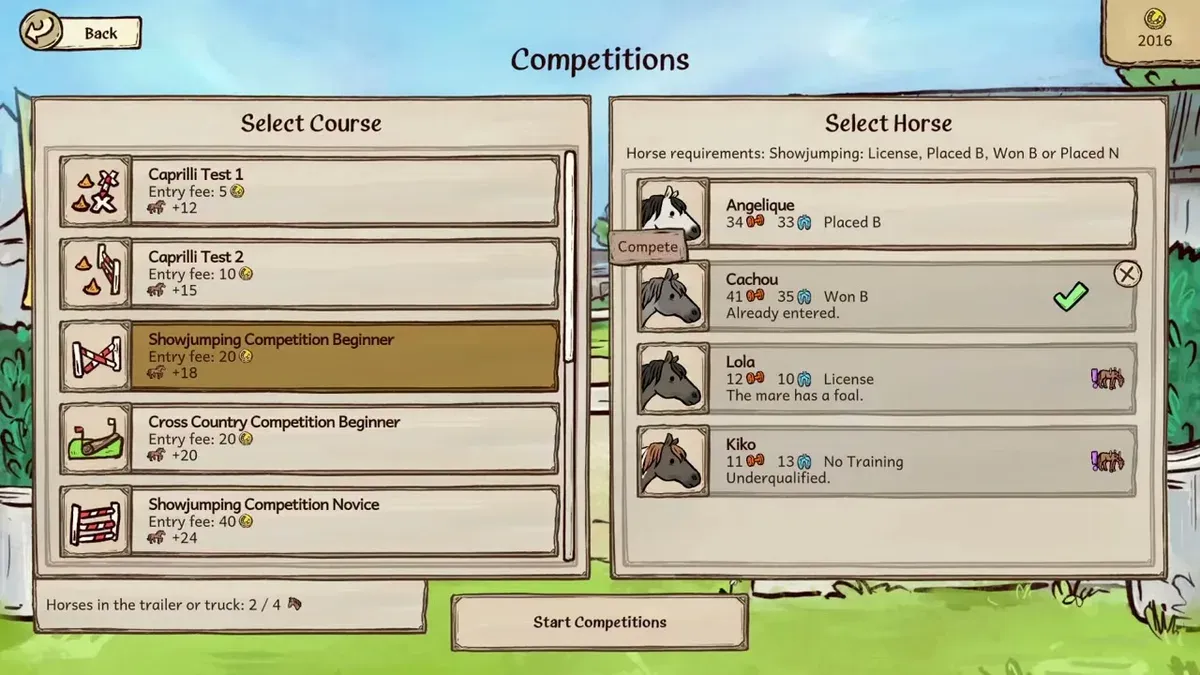
What a competition license means for your horse
The Horses of Hoofprint Bay competition license belongs to a horse and a discipline, making the selected horse’s qualification essential when preparing for an event. To work toward the Horses of Hoofprint Bay competition license you need, start with the matching license-labeled training course and check Horse Info. Understanding that connection helps you distinguish qualification from transportation before spending money on your competition setup.
This guide covers the global Steam full release launched November 4, 2026, with evidence checked November 5. The relevant license labels appear in the full-release game interface shown in Rohara’s recording.
Three parts of competition preparation serve different purposes:
| Part of preparation | What it covers | What to check |
|---|---|---|
| Discipline license | The individual horse’s qualification for that discipline | The corresponding entry in Horse Info |
| Training course | The course associated with the discipline’s license | Its label on Select Course |
| Parking lot and trailer | Transportation for competitions in town | The transport instructions in the First ribbon goal |
The distinction matters because a horse can have different progress in different disciplines. Horse Info in the recording displays Caprilli License and Showjumping Training separately. Seeing a Caprilli license therefore does not establish that the same horse has its Showjumping license.
Use the full discipline name when checking your horse. A general impression that the horse is “trained” is less useful than the specific status displayed in its information panel. The full-release course and horse-status recording provides the current interface evidence for these distinctions.
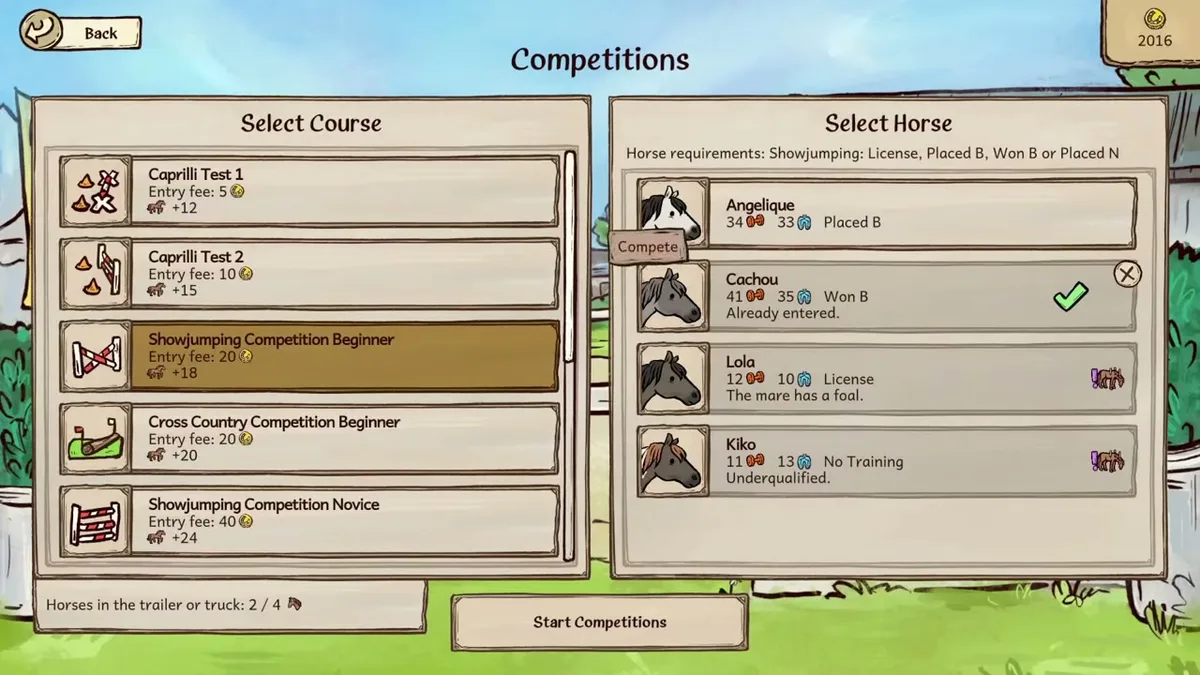
Unaltered gameplay still from JayPlays’ full-release video. General visual context, not proof of an undocumented mechanic. Image source.
Full-release gameplay and in-game handbook: Horses of Hoofprint Bay FULL RELEASE! Starting Our Horse Stable! 🐎 — Rohara, November 4, 2026. English-language reference footage. Specific handbook claims link to their observed timestamps; other uses are general game reference, not a device benchmark or proof of a bug fix.
Finding the competition license course
On the Select Course screen, two course-to-license associations are explicitly visible:
| Course name | License label shown |
|---|---|
| Caprilli Training 1 | Caprilli License |
| Showjumping Training 1 | Showjumping License |
These labels give you a concrete starting point. If you want to enter a Caprilli event, look for the Caprilli course carrying its license label. For show jumping, check the Showjumping course and its corresponding label.
A practical sequence is to:
- Choose the horse you intend to compete with.
- Check that horse’s current discipline status in Horse Info.
- Open Select Course and locate the matching license-labeled training.
- Follow the requirements displayed by the game for that course.
- Check Horse Info afterward to see whether the relevant status has changed.
This sequence identifies where to look without assuming an unverified passing score. The available full-release observations establish the course labels, but they do not establish an exact score threshold or a fixed number of attempts needed to obtain a license.
Course visibility depends on progression. If a course is missing from your list, its absence alone does not identify the cause. Check the progression requirements your game displays before looking for a separate license purchase.
The official Steam description of training and building progression confirms that advanced building stages unlock additional training courses. It does not specify the exact building stage needed for each license-labeled course.
For your competition license, the useful checkpoint is the selected horse’s discipline record. Avoid treating a course’s availability, your horse’s general development, and its license status as interchangeable milestones.
Getting to town and entering your first competition
Once you have checked qualification, turn to transport. The in-game First ribbon goal connects building a parking lot and buying a trailer with transporting a horse to competitions in town.
The handbook also identifies a top-three finish as the first ribbon objective and recommends a Caprilli test for lower-skilled horses. These instructions are visible in the First ribbon goal shown in Rohara’s full-release recording.
| Preparation step | Reader-facing action | Why it matters |
|---|---|---|
| Check qualification | Inspect the intended horse’s discipline status | Licenses belong to the horse and discipline |
| Arrange transportation | Follow the goal’s parking lot and trailer instructions | The horse needs transport to compete in town |
| Choose an appropriate event | Consider Caprilli for a lower-skilled horse | The handbook identifies it as the suitable starting option |
| Pursue the first ribbon | Aim to finish in the top three | That is the stated goal objective |
Getting the competition license and arranging transportation are separate parts of this process. Buying the parking lot handles the transport side; it does not grant a discipline license.
Likewise, a top-three finish is the ribbon objective. It should not be treated as a verified requirement for earning the training-linked license. Keeping those milestones separate makes it easier to understand what the game is asking you to accomplish next.
For an early horse, the handbook’s Caprilli recommendation is especially useful. It gives you a supported starting direction without requiring an invented minimum strength, confidence, or endurance value.
Player experience: In a November 4 Steam discussion, a player reported seeing an empty trailer despite having purchased the parking lot. Another player explained that choosing the horse for a competition triggers automatic loading and transport. That is community guidance rather than a handbook-confirmed mechanic: see the player discussion about selecting a horse for trailer loading.
If your trailer appears empty, try the competition’s horse-selection step before searching the yard for a manual loading interaction. This suggestion follows that specific player experience; it does not establish that every transport problem has the same cause.
What to check when competition entry is blocked
A competition problem can involve the horse, discipline, course availability, or transportation. Start with the screen that describes the problem and compare it with the checks below.
| What you are seeing | Useful check | What the evidence establishes |
|---|---|---|
| A horse has Caprilli License but Showjumping Training | Inspect the Showjumping entry separately | The interface tracks those discipline statuses separately |
| The relevant training course is absent | Review the progression requirements shown in your game | Course visibility depends on progression |
| You bought parking but still lack qualification | Return to the horse’s discipline status | Parking provides transportation, not a license |
| The trailer appears empty | Try choosing a horse during competition entry | Automatic loading at selection is reported by a player |
| A number appears beside a course | Read its accompanying label | The observed course values are not a verified license price |
When diagnosing a competition license issue, check the horse you actually plan to enter. Because qualification belongs to the horse and discipline, another horse’s record does not answer the question for your selected entrant.
The same approach helps when changing events. A Caprilli status is relevant to your Caprilli preparation; show jumping requires checking its own entry. This is more precise than repeating unrelated training simply because a competition remains unavailable.
A separate cash purchase price for a competition license has not been verified. Do not turn an unlabeled or misunderstood course value into a purchase cost. The current evidence identifies license-linked training courses and transport purchases, but it does not provide a supported amount for buying a license directly.
If entry works but placing well is difficult, qualification has become a different issue from performance. The official FAQ recommends experimenting with easier competition settings and using the auto-jump accessibility option when jumping is troublesome. These are supported ways to adjust the challenge; the FAQ does not describe them as substitutes for licensing.
Which advice applies to the full release?
Older advice can describe a different starting horse, progression pace, or demo restriction. That matters when deciding whether your current experience indicates a problem or simply differs from an earlier version.
The competition license guidance here centers on the November full-release interface and handbook observations. Earlier development posts provide context, but their balancing statements should not be treated as exact launch requirements.
| Version or source period | Supported detail | How to use it |
|---|---|---|
| February demo | Its saves are incompatible with the full game | Keep its progression experience separate from current guidance |
| October demo | It has a 25-day limit, lower starting stats, and saves compatible with release | Account for the demo’s limits when comparing progress |
| November full release | The official FAQ states there is no day limit | Do not assume the demo’s 25-day cutoff applies |
The developers’ October demo announcement and save-compatibility explanation explicitly describes rebalanced starting horses and the demo’s limited duration. That helps explain why an older walkthrough may reach competitions at a different pace.
For the first event, the current handbook’s recommendation of Caprilli for lower-skilled horses is more directly useful than an older expectation about reaching show jumping quickly. It supports a starting choice without implying that every horse qualifies on the same day.
Older bug discussions also need their version context. The February thread about a gray or black screen during the first riding lesson concerns the demo, including community references to version 0.1.8. It does not establish that a current license problem is caused by the same bug.
For current difficulty options, save compatibility, and the absence of a full-game day limit, consult the official Horses of Hoofprint Bay FAQ.
FAQ
How do I get the competition license?
Start with the license-labeled course for your intended discipline: Caprilli Training 1 displays Caprilli License, while Showjumping Training 1 displays Showjumping License. Follow the course requirements shown in your game, then inspect the selected horse’s status in Horse Info. The verified observations do not establish an exact passing score or required attempt count.
Does buying the parking lot give my horse a license?
No. Parking and the trailer provide transportation for competitions in town. Qualification is tracked by horse and discipline. If you have transport but cannot enter the intended event, check that horse’s relevant license status rather than assuming the parking purchase completed both requirements.
Why does the trailer show no horses?
Player experience: A November 4 community reply says horses load automatically when selected for a competition. Try choosing your entrant through the competition interface. An empty trailer display alone does not prove that your horse lacks a license, and the automatic-loading explanation remains community-reported guidance.
Which competition should I try for my first ribbon?
The full-release handbook recommends a Caprilli test for lower-skilled horses, with a top-three placing as the First ribbon objective. Check the horse’s Caprilli qualification and arrange transport before entering. If riding the event is difficult, the official FAQ identifies easier competition settings and auto-jump as available options.
What should you read next?
- Horse Training & Confidence Guide
- Jumping Timing, Gaits & Strength
- Caprilli, Jumping & Cross Country
- Medium Competitions & Progression
Return to Competitions or the wiki homepage to choose another topic.
Related Articles
competitions
Horses of Hoofprint Bay: Caprilli, Jumping & Cross Country
Learn Horses of Hoofprint Bay competitions, from Caprilli gait timing to show jumping preparation, cross country routes, and training help.
competitions
Horses of Hoofprint Bay: Medium Competitions & Progression
Prepare for medium competitions with horse training, class checks, jumping tips, and difficulty options for the November 2026 full release.
guides
Horses of Hoofprint Bay: Steam Achievements Guide
Plan Horses of Hoofprint Bay achievement goals across breeding, training and competition wins. Find confirmed milestones and help with disabled achievements.
Was this helpful?
Thanks for the feedback!