
Horses of Hoofprint Bay: Import & Export Horses: Ferry Guide
Learn how ferry transfers work in Horses of Hoofprint Bay, including reported JSON sharing, prices, save restrictions, and demo compatibility.
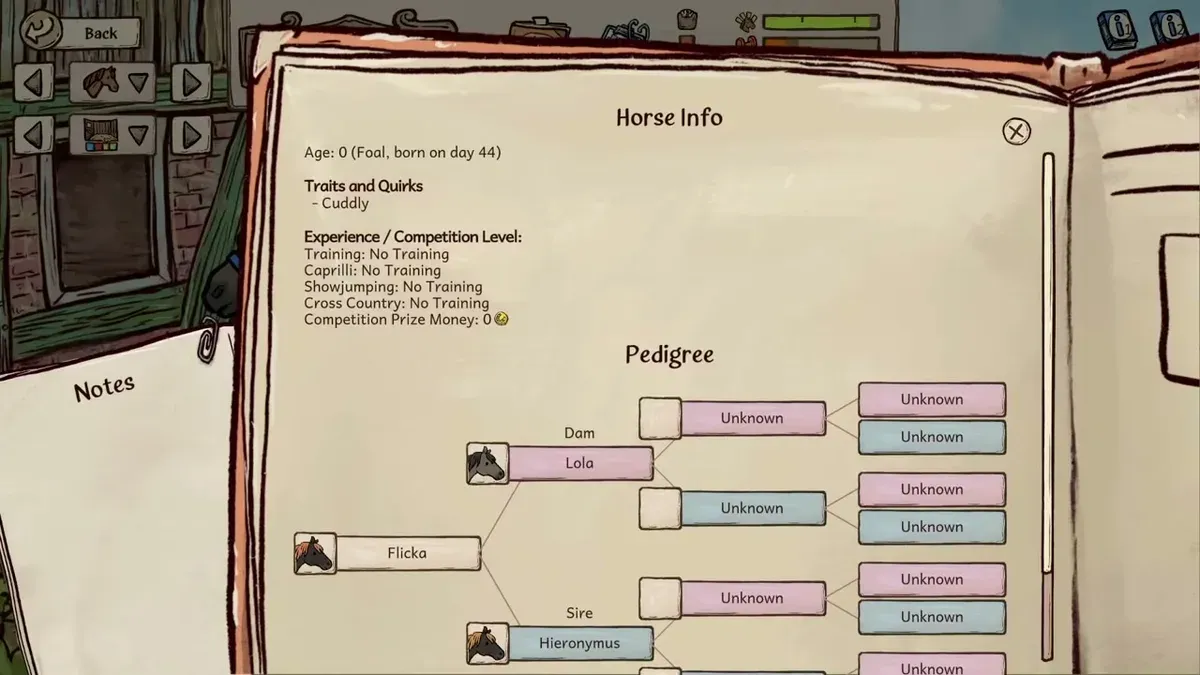
Horses of Hoofprint Bay import and export horses: using the ferry
Start at the ferry when you want to move a favorite horse between saves or share it with another player. This Horses of Hoofprint Bay import and export horses guide explains the transfer route and separates official feature history from community reports. Understanding the import and export horses process matters because receiving a horse reportedly involves an in-game price, and importing it back into its original save is reportedly restricted.
This guide covers the global Steam full release, launched November 4, 2026, with information dated through November 5.
The ferry connection has an official development history: Playtest patch v0.2.7 documented horse importing and exporting through the ferry. Later, v0.2.14 documented that the ferry was unavailable in the demo. Those are historical Playtest notes, not version numbers assigned here to the released game. See the official Horses of Hoofprint Bay Playtest announcements.
Release-week community reports provide the more specific description of file sharing:
| Transfer detail | Reported behavior | Evidence status |
|---|---|---|
| Exported file | A horse is exported as a JSON file | Community report |
| Another local save | The exported horse can be imported into another save | Community report |
| Original save | The horse cannot be imported into the save it came from | Community report |
| Sharing with others | The exported file can be shared with another player | Community report |
| Trading price | Pricing matches trading through the breeder | Community report |
These details come from a release-week community discussion about horse transfers. The commenter’s identity is unverified, so treat the explanation as player experience rather than a publisher guarantee.
For the exact instructions in your installed version, consult the game’s Import & Export book and follow the ferry’s prompts. That is especially useful for locating files and understanding transaction requirements.
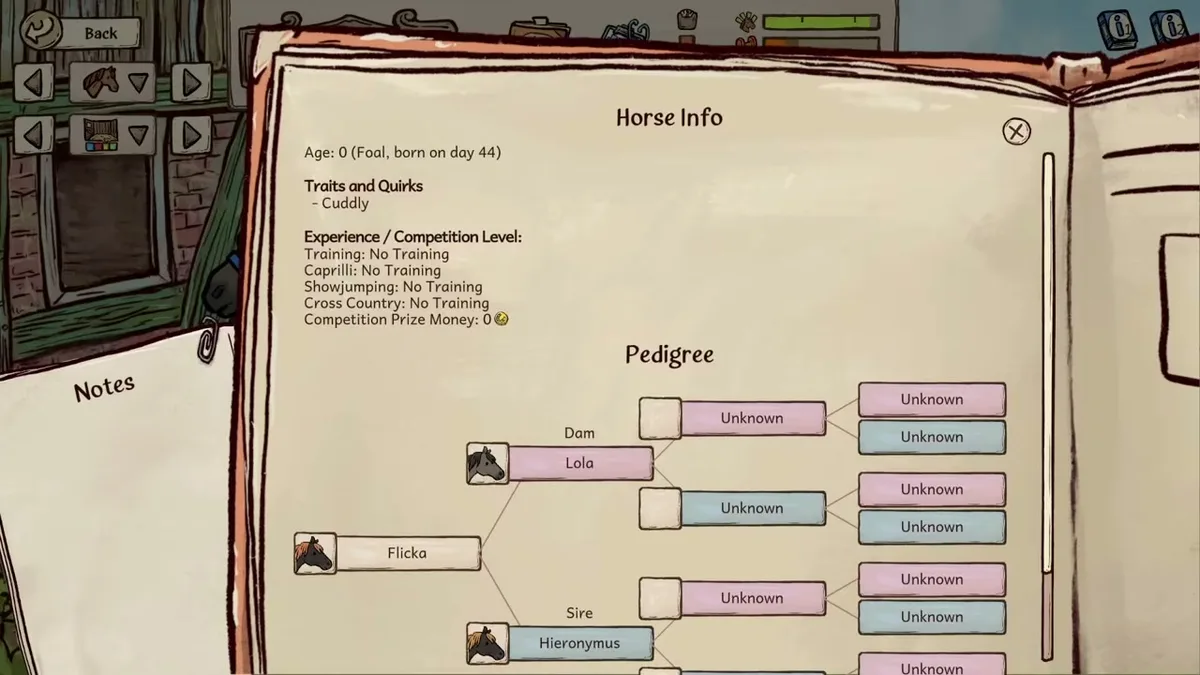
Game reference image. Image source.
Full-release gameplay and in-game handbook: Horses of Hoofprint Bay FULL RELEASE! Starting Our Horse Stable! 🐎 — Rohara, November 4, 2026. English-language reference footage. Specific handbook claims link to their observed timestamps; other uses are general game reference, not a device benchmark or proof of a bug fix.
How to export a horse and share its file
The import and export horses workflow begins in the save that owns the horse. Open that save, visit the ferry, and consult the Import & Export book before completing the transaction.
Keep the distinction between exporting a horse and keeping a backup clear. The reported restriction on importing into the originating save means an exported file should not be treated as a guaranteed way to reverse your decision.
Use this checklist alongside the instructions displayed by the game:
| Stage | What to do | What to check |
|---|---|---|
| Choose the source save | Open the save containing the horse you want to export | Confirm you are working with the intended horse |
| Review the instructions | Read the Import & Export book and ferry prompts | Check the transaction terms before accepting |
| Complete the export | Follow the game’s export procedure | Identify the resulting horse file |
| Prepare the transfer | Keep the exported file available for another save or player | Community reports describe this as a JSON file |
The precise export directory and current button labels are not established here. Follow the location information shown by your game rather than assuming a Windows folder, Linux directory, or filename from an older guide.
If you are sharing with a friend, the community-described method is to send the exported horse file. The recipient then uses the import system in their own game.
Remember that sharing the file and acquiring the horse are separate steps. Under the reported pricing behavior, receiving someone’s file does not automatically mean adding that horse to a stable for free.
How to import a horse into another save
For import and export horses transfers between your own saves, the key reported condition is that the destination must differ from the originating save.
Load the save where you want the horse to arrive, then use the ferry and the Import & Export book to follow that version’s import procedure. Use the exported horse file as directed by the game; an exact file-selection sequence or required placement directory is not confirmed here.
Before accepting the transaction, check:
- The active save: Make sure this is the intended destination.
- The horse information: Confirm the file represents the horse you meant to receive.
- The displayed price: Use the amount shown in your game.
- Any transaction message: Follow the requirements stated by the ferry.
For example, suppose you have an established breeding save and a separate save where you want to raise a different herd. Community reports describe exporting a horse from the breeding save and importing it into the other save. They also describe sharing that same kind of exported file with another person.
That example does not establish unlimited repeat imports, duplication rules, or unrestricted compatibility between game versions. Those details remain unconfirmed.
The reported breeder-equivalent pricing also does not establish a universal import fee. No fixed currency amount or calculation formula is verified here. The useful practical point is to check the receiving save’s displayed transaction price before proceeding.
After completing an import, review the horse’s information in the destination save before building a breeding or training plan around it.
Why an import or export may not work
When the import and export horses process stalls, first identify which part is failing: access to the ferry, acceptance of the horse, or locating the exported file.
These situations have different evidence behind them. A missing ferry in a demo is connected to an officially documented restriction. A rejected return to the original save matches community-reported behavior. Neither situation, by itself, proves that the horse file is damaged.
| Problem | Relevant evidence | Useful next step |
|---|---|---|
| You cannot use the ferry in the demo | Playtest v0.2.14 documented the ferry as unavailable in the demo | Check whether you launched the demo or full game |
| A horse will not import into its original save | Community reports describe an originating-save restriction | Check which save produced the file |
| You cannot find the exported horse | Historical Playtest notes mention controls for opening exported-horse locations | Consult the current ferry interface and Import & Export book |
| The transaction has an unexpected price | Community reports describe breeder-equivalent pricing | Review the amount displayed before confirming |
File-location controls changed during development. Playtest v0.2.2 disabled file-explorer controls, and v0.2.3 reenabled controls for opening save and exported-horse locations. That history explains why an old screenshot or button description may be a poor guide to your current interface.
If the ferry displays a specific rejection message, keep its wording when describing the problem. “The file is not recognized” and “this horse cannot enter this save” would point to different issues; neither example is a verified game error label.
Avoid treating every failed transfer as a reason to edit the JSON. Manually changing exported data is a separate activity, and its compatibility with the normal import process is not established.
Demo saves, pregnant mares, and custom horses
Several nearby features can cause confusion when planning a transfer. Whole-save compatibility, individual horse exports, and appearance customization each answer a different question.
The most useful distinction for import and export horses is between continuing an existing demo save and transferring one horse through the ferry.
The official Horses of Hoofprint Bay FAQ gives these demo-save compatibility rules:
| Demo version | Compatible with the full game? | What that means |
|---|---|---|
| February demo | No | Its save is not compatible with the full release |
| October demo | Yes | Its save can continue in the full release |
If your goal is to continue your October demo stable, save compatibility is the relevant feature. You do not need to interpret that compatibility statement as a promise that the demo itself supports ferry exports.
Likewise, the February demo’s incompatible save format does not establish a supported ferry workaround for recovering individual horses.
Pregnant mares also appear in official development history. Playtest v0.2.1 fixed a medical-report issue involving imported pregnant mares, while v0.2.13 fixed a problem that prevented an imported pregnant mare from giving birth.
Those fixes show that imported pregnancy states were handled during development. They do not provide a complete release-day guarantee about every pregnancy, attached foal, or breeding detail. Check the current handbook and transaction information before transferring a mare whose pregnancy is central to your plans.
Finally, custom coat colors are an appearance feature. The official store describes customization through palettes, textures, and editable files, while community posts discuss unusual horse colors. Neither establishes that importing a horse automatically transfers every custom palette or modified asset.
If your main goal is to share a distinctive-looking horse, confirm its appearance in the receiving save. Do not assume that a horse-data file also packages all separate customization files.
FAQ
Where do I start with import and export horses?
Start at the ferry and consult the in-game Import & Export book. Official Playtest history documents ferry-based horse transfers, while release-week community reports describe exporting horses as JSON files. Follow your installed version’s prompts for the exact procedure and file location.
Can I give a horse to a friend?
Community reports say you can share an exported horse file with another player for importing into their game. The same report describes breeder-equivalent trading prices, so sending the file does not necessarily make the horse free to acquire inside the recipient’s save.
Can I import a horse back into the same save?
According to community reports, a horse cannot be imported into its originating save, although it can be imported into another local save. This restriction is reported player experience, not a publisher-confirmed rule in the cited release material. Do not rely on export as an undo option.
Can I transfer horses from the demo?
Historical official notes document the ferry as unavailable in the demo. Whole-save transfer is a separate question: the official FAQ confirms that October demo saves are compatible with the full release, while February demo saves are not. Use that distinction when deciding how to continue an existing stable.
What should you read next?
- Horse Care & Grooming Guide
- Horse Breeding & Genetics
- Foal Growth & Age Milestones
- Horse Personality Traits Explained
Return to Horses & Breeding or the wiki homepage to choose another topic.
Related Articles
horses
Horses of Hoofprint Bay: Foal Growth & Age Milestones
Foals become yearlings in 4 in-game days and adults at age 12. Plan pregnancy, mare training, and stable space with the full-release timeline.
horses
Horses of Hoofprint Bay: Foal Training & Daily Care
Learn Horses of Hoofprint Bay foal training, the age-12 adult milestone, mare-and-foal walks, and how to manage daily exercise.
horses
Horses of Hoofprint Bay: Horse Age, Growth & Retirement
Understand horse age in Horses of Hoofprint Bay: eight-day pregnancy, foals becoming yearlings at four days, adulthood at age 12, and retirement guidance.
Was this helpful?
Thanks for the feedback!